
This step is required to configure Tera brand scanners to ensure accurate extraction of critical item details, including lot number and expiration date, from the item barcode.
Why Configuration is Required
Barcodes may contain multiple data elements in a single scan. Without proper configuration:
- Lot numbers may not be captured correctly
- Expiration dates may be missed or misread
- Data may appear as one continuous string instead of structured fields
This setup ensures the scanner parses and outputs data in a structured and usable format
Instruction
Step 1: Turn on the Replacement On by scanning the QR code below.
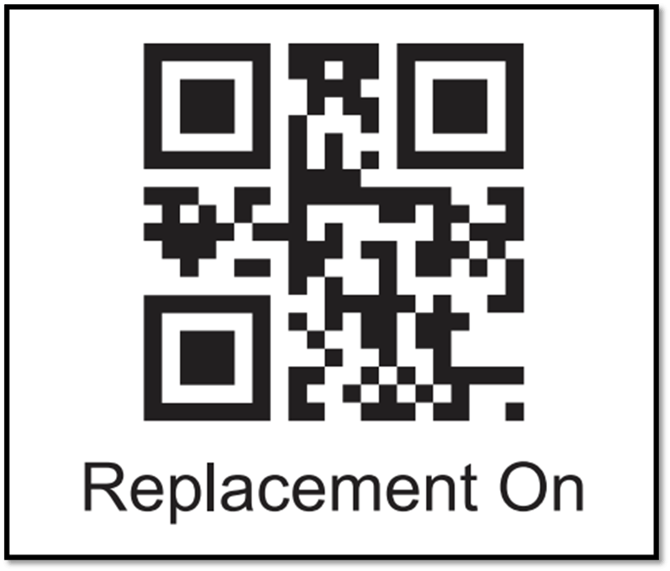
Step 2: Scan the QR code below to replace the group separator by a ‘#’.

Other setting updates
Instructions for other setting updates and restoring the barcode scanner to factory settings can be found at Terra user manual.
https://tera-digital.com/pages/2d-industrial-barcode-scanner-8100